Business internet redundancy means keeping a second, independent path to the internet that takes over automatically the moment your primary connection drops. For a Brevard County or Space Coast manufacturer, a single hour offline can burn tens to hundreds of thousands of dollars in idle labor, stalled production, and missed shipments — which is why real operators treat redundancy as insurance, not a luxury. The catch: it only works if the two connections are genuinely diverse. “Two lines” from the same carrier, in the same conduit, fail together.
Key takeaways
- Redundancy = a backup internet path plus automatic failover — not just a second modem in a closet.
- Manufacturing downtime runs about $260,000 per hour on average; even a small shop loses $25,000+ per hour.
- The #1 failure: both circuits share the same provider, pole, or building entry, so one backhoe kills both.
- A dual-WAN setup covers a single site; SD-WAN earns its place across multiple sites or for per-app steering.
- 5G/LTE makes a legitimate backup if it’s a truly diverse network with enough bandwidth for your critical apps.
- What is business internet redundancy?
- What one hour of downtime actually costs a manufacturer
- Single ISP vs. dual ISP vs. automatic failover
- The mistake that makes “redundant” internet fail anyway
- SD-WAN or a dual-WAN firewall?
- Can 5G or LTE be your backup?
- What it actually costs to set up
- A redundancy checklist for Space Coast facilities
- FAQ
What is business internet redundancy?
Business internet redundancy is having a second, independent connection to the internet that keeps your company online when the primary circuit fails. Instead of one link whose failure takes the whole company offline, you run an alternate path — a different carrier, a different medium, ideally entering the building through a different physical route — and let hardware switch to it automatically.
The word doing the heavy lifting is automatic. A backup circuit that someone has to notice, then reconfigure, then bring up by hand is a disaster-recovery plan, not redundancy. Real redundancy means your firewall or edge router is watching the primary link and moves traffic to the backup on its own — usually within seconds — so most of your team never knows anything happened.
What does one hour of internet downtime actually cost a manufacturer?
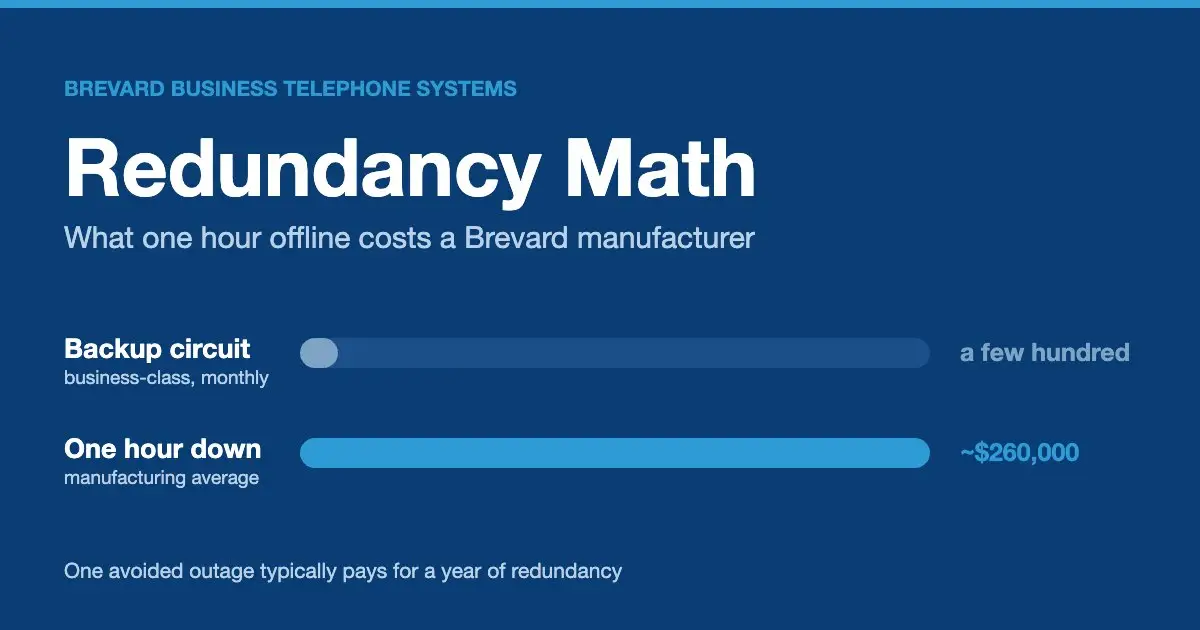
Far more than the monthly cost of a backup circuit. Recent studies peg the average cost of downtime at roughly $9,000 per minute across industries, up from a historical figure near $5,600 (Pingdom). Manufacturing specifically lands around $260,000 per hour, and the average plant absorbs about 800 hours of unplanned downtime a year.
Those are averages; the shape of the loss is what matters on the Space Coast. When connectivity drops at an aerospace or defense-adjacent facility, it isn’t only the production line that stops. Cloud-hosted ERP and inventory go dark, CAD and engineering workstations lose access to shared files, order intake and shipping labels stall, and missed ship dates trigger contractual penalties with primes and government customers who don’t grade on a curve. Payroll keeps running while output sits at zero.
Set that against the math of a backup circuit — often a few hundred dollars a month — and the decision writes itself. One avoided outage typically covers a year of redundancy. For a shop running just-in-time against a defense contract, it can cover several years in a single afternoon.
Single ISP vs. dual ISP vs. automatic failover — what’s the difference?
They’re three different levels of protection, and only the last one actually keeps you online without human intervention. A single ISP is one connection from one provider — fine until a construction crew, a storm, or a provider outage takes it down. A dual-ISP setup adds a second wired connection, ideally from a different carrier on a different medium (say, a fiber primary backed by cable or fixed wireless). Automatic failover is the piece that makes the second line worth paying for: an edge device monitors the primary and shifts traffic over the instant it degrades.
| Setup | What it is | What happens when the primary fails |
|---|---|---|
| Single ISP | One circuit, one provider | You’re offline until the provider restores service — hours, sometimes a full day. |
| Dual ISP, manual | Two circuits, switched by hand | Someone has to notice, then re-point the network. Minutes to hours of scramble. |
| Dual ISP + automatic failover | Two diverse circuits, firewall/router auto-switches | Traffic moves to the backup in seconds; most staff never notice. |
| Active-active (load-balanced) | Both circuits carry traffic all the time | The failed link simply stops receiving traffic; no cutover event at all. |
Active-passive (the backup sits idle until needed) is the common, cost-effective choice. Active-active uses both links every day and hides failures completely, at the cost of a bit more design and hardware. Which one fits depends on how much a cutover blip would actually hurt your operation.
The mistake that makes “redundant” internet fail anyway
The trap: buying two circuits that look independent but share a single point of failure — the same carrier, the same conduit into the building, or the same pole and last-mile path down the street. When that shared segment is cut, both “redundant” links die at the same moment.
We see this constantly. A business orders a “backup” line, the same provider provisions it over the same fiber run, and everyone feels covered — right up until a backhoe on US-1 severs the conduit and takes both circuits with it. Genuine redundancy demands diversity: different providers where possible, different transport media (fiber plus fixed wireless, or fiber plus 5G), and — critically — a different physical entry point into the building. As one industry explainer puts it, if both circuits enter through the same path, a single outside event can still take both down.
The second, quieter mistake is never testing failover. A backup that has never been forced to carry live traffic is a theory, not a safeguard. Pull the primary on a scheduled Saturday and watch what actually happens to your phones, your cloud apps, and your card processing before an outage does the testing for you.
Do you need SD-WAN, or is a dual-WAN firewall enough?
For a single facility, a properly configured dual-WAN firewall is usually enough. It monitors both circuits, fails over automatically, and costs a fraction of a full SD-WAN deployment. SD-WAN earns its keep when the problem outgrows one building: multiple sites that need to share policy, application-aware routing that sends voice down the best path while bulk backups take another, or sub-second failover that keeps a live session from ever noticing the switch.
Put simply — if you have one site and want to stay online when a circuit drops, start with dual-WAN. If you’re stitching together several Brevard locations, or you run latency-sensitive apps that can’t tolerate even a brief blip, SD-WAN is the conversation. Either way, the design should be matched to the workload, not bought off a shelf.
Can 5G or LTE be your backup internet?
Yes — and for many Space Coast businesses it’s the smartest backup available, precisely because a cellular link is genuinely diverse from a wired one. A 5G or LTE circuit rides an entirely separate network and infrastructure, so it sidesteps the shared-conduit trap by design. Fixed wireless plays the same role where cellular coverage is thin.
Two caveats keep it honest. First, size it to your critical apps: VoIP, card processing, and cloud ERP need reliable throughput and low latency, not just “a signal.” Second, mind data caps and antenna placement — a modem shoved in a metal-walled server room won’t perform like one with a roof antenna and clear line of sight. Used deliberately, wireless is a strong second path; treated as an afterthought, it disappoints exactly when you need it.
What does redundant internet actually cost to set up?
Less than most owners fear, and far less than the downtime it prevents. The recurring cost is a second circuit — often in the low hundreds of dollars a month for a business-class backup, sometimes less for a metered wireless line you only lean on during outages. The one-time cost is the hardware and design: a dual-WAN or SD-WAN appliance, configuration, and failover testing.
The number that should anchor the decision isn’t the invoice — it’s the hour of downtime it buys back. If your operation loses even $25,000 in a bad hour, a year of backup connectivity pays for itself the first time a storm rolls off the Atlantic and the primary drops. That’s the frame we use with every Brevard client: not “what does redundancy cost,” but “what does one hour offline cost, and how many hours a year are you willing to gamble on?”
A redundancy checklist for Space Coast & Brevard facilities
Before you call any circuit “redundant,” walk this list:
- Two circuits from different carriers (or at minimum different transport media).
- Diverse physical entry — the backup does not share the primary’s conduit, pole, or last-mile path.
- Automatic failover configured on the firewall/edge router, not a manual swap.
- Critical apps — VoIP, ERP, card processing — verified to survive a cutover.
- Failover tested on a schedule, not assumed.
- Backup circuit sized for real traffic, with data caps understood.
- Monitoring and alerting so you know when you’re running on the backup.
Not sure whether your “backup” is actually diverse?
BBTS designs and installs carrier-diverse, auto-failover internet for aerospace, manufacturing, and defense facilities across Brevard and the Space Coast. We’ll map your current paths and find the single points of failure before an outage does.
Frequently asked questions
Is a second internet line really worth it for a small business?
For anyone who takes orders, ships product, runs VoIP, or depends on cloud apps, almost always yes. Add up what one hour offline costs you in idle payroll and lost sales, then compare it to a few hundred dollars a month. One avoided outage usually pays for a year of backup.
Why did both of my internet connections go down at the same time?
Almost certainly because they weren’t truly diverse. Two circuits from the same carrier, in the same conduit, or entering the building through the same path share a single point of failure — one cut or provider outage takes both. Real redundancy needs different providers and separate physical routes.
Can I use 5G, LTE, or a hotspot as my backup internet?
Yes, and it’s a genuinely diverse path since it rides a separate network. Just size it for your critical apps, mind data caps, and place the antenna for a strong signal. As a deliberate secondary it’s excellent; as an afterthought it underperforms when you need it most.
What’s the difference between failover and load balancing?
Failover (active-passive) keeps a backup idle until the primary fails, then switches to it. Load balancing (active-active) runs traffic across both links all the time, so a failed link just stops receiving traffic with no cutover event. Active-active hides outages best; active-passive is simpler and cheaper.
Do I need SD-WAN, or is a dual-WAN firewall enough?
For a single site that just needs to stay online, a dual-WAN firewall is usually enough. SD-WAN is worth it across multiple locations, for application-aware routing, or when you need sub-second failover that a live session never notices.
How fast does automatic failover switch, and will my phone calls drop?
Data traffic typically moves to the backup within seconds. A VoIP call already in progress may blip during the cutover unless the network is designed to preserve the session — which is exactly the kind of detail worth engineering up front if uninterrupted calls matter to you.

Herb and the BBTS team keep Brevard County and Space Coast businesses connected and protected — business phone systems, managed IT, network infrastructure, and carrier solutions for aerospace, manufacturing, and government contractors.